 Jompter Docs
The viewer
Pointer, keyboard, scrolling and gestures — how to actually drive a Mac from a phone.
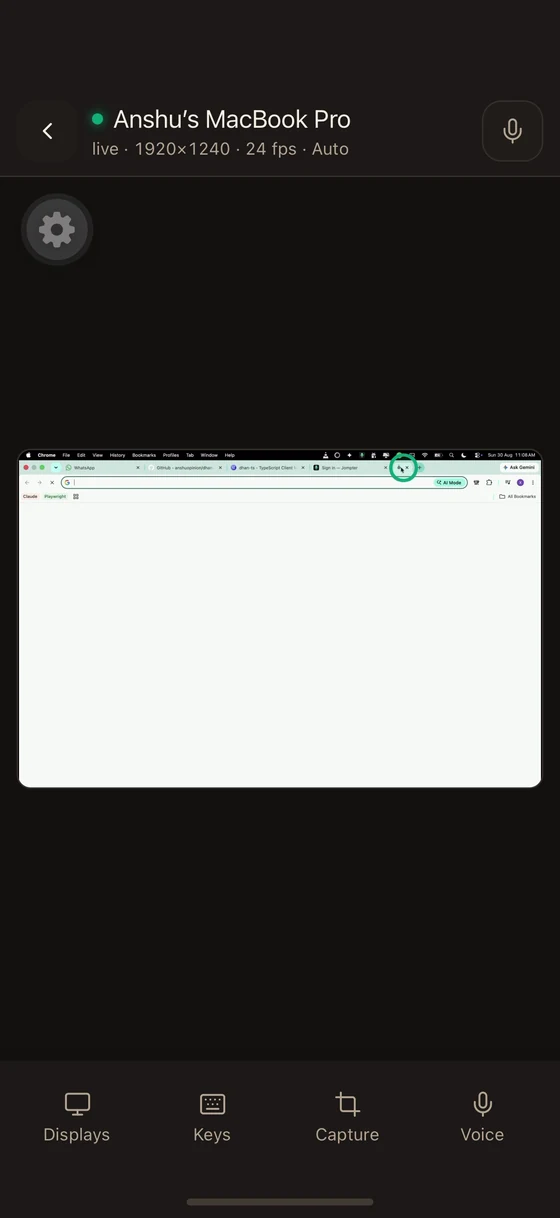
The viewer is the app. Video fills the screen and the controls fade out after a few seconds so they are not in the way; tap to bring them back.
Moving the pointer
Drag anywhere. The pointer moves relative to your drag, like a trackpad — not to the point you touched. That is what makes precision possible on a small screen.
| Gesture | Result |
|---|---|
| Tap | Left click |
| Two-finger tap | Right click |
| Double tap | Double click |
| Triple tap | Triple click (select a line) |
| Two-finger drag | Scroll, with real scroll physics |
| Pinch | Zoom the view, so you can see small text |
| Drag while zoomed | Pan the view |
A badge shows the current zoom level, and the Mac's own cursor is drawn so you can see where you are.
Modifier keys that stick
Holding ⌘ while dragging is impossible with one thumb, so modifiers latch:
- Tap once — the modifier applies to your next action.
- Double-tap — it locks until you turn it off.
- Long-press then release — the classic hold.
A latched modifier expires on its own after 8 seconds so you are never left wondering why everything is selecting.
Feedback
Because the Mac may be in another room, the viewer tells you what it did: gestures flash on screen, actions get receipts, and a notice banner explains anything the Mac refused.
Session information
A stats overlay shows what the connection is actually doing — resolution, frame rate, bandwidth. Useful when the picture is not what you expect; see Troubleshooting.
The dock
Four tabs along the bottom:
Displays
Which screens, how they are arranged, quality
Keys
A keyboard, arrows, and system gestures
Capture
Snip a region of the Mac's screen
Voice
Dictate into the Mac with the phone's mic
Other things in the viewer
- Sound from the Mac — plays if the Mac is sharing audio and the phone is unmuted. Both gates must be open; audio is off on the Mac by default.
- Paste bar — put text on the Mac's clipboard and paste it.
- The phone's screen stays awake while a session is live. The Mac stays awake too, for as long as Remote is on, unless the Mac is set to System default. Closing the Mac's lid ends the session either way.