 Jompter
Write prompts
3× faster. Voice, screenshot and screen-recording prompts for Claude Code, Cursor and Codex.
Jompter is a Mac app that turns your voice, screenshots and screen recordings into one prompt for Claude Code, Cursor and Codex. Talk through bugs, features and design tweaks, and your agent reads the prompt for itself. Private by default: it runs on your Mac.
Command every
AI agent.
One voice, one prompt — for Claude Code, Cursor, Codex, GitHub Copilot and every agent you use.


Voice to prompt Say it, show it,
send it.
Voice to prompt for Claude Code, Cursor and any app: hold Right ⌘, explain the bug the way you would to a colleague, and your words are typed into the agent as you talk.
How voice to prompt works →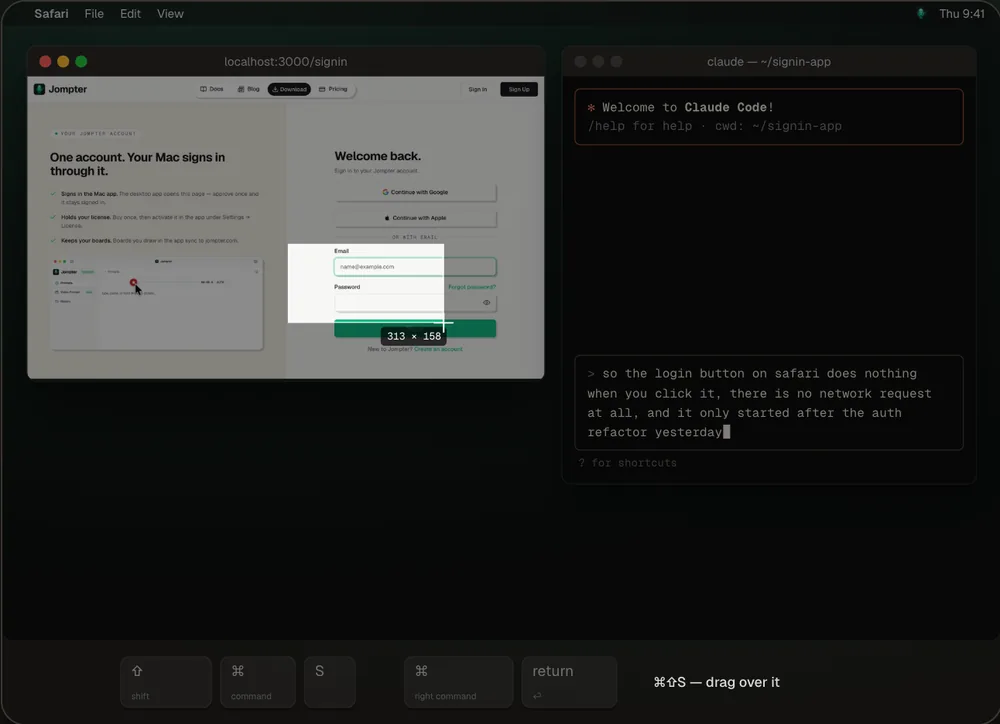
Screenshot to prompt Point at
the problem.
Send screenshots to Claude Code and Cursor already marked up: box the bug, point at it, blur what's private, then drag the real image file into the prompt.
How screenshot to prompt works →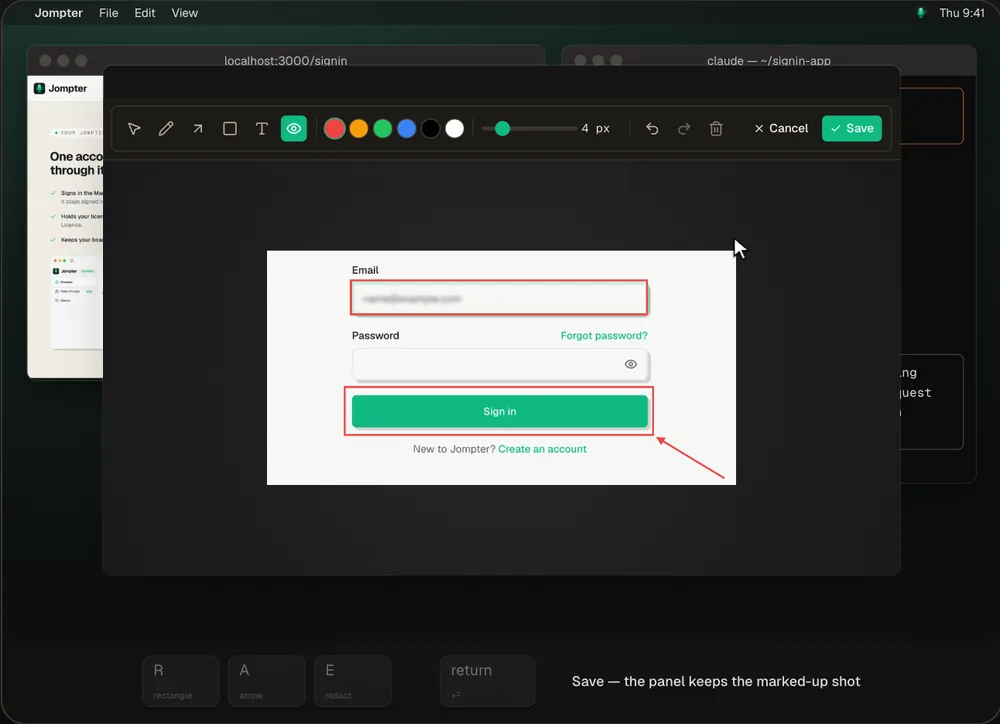
Screen recording to prompt Some bugs only
show up moving.
Turn a screen recording into a prompt your agent can read. Record the flicker while you talk — Jompter keeps the key frames, timestamped against your transcript, for Claude Code or Cursor.
How screen recording to prompt works →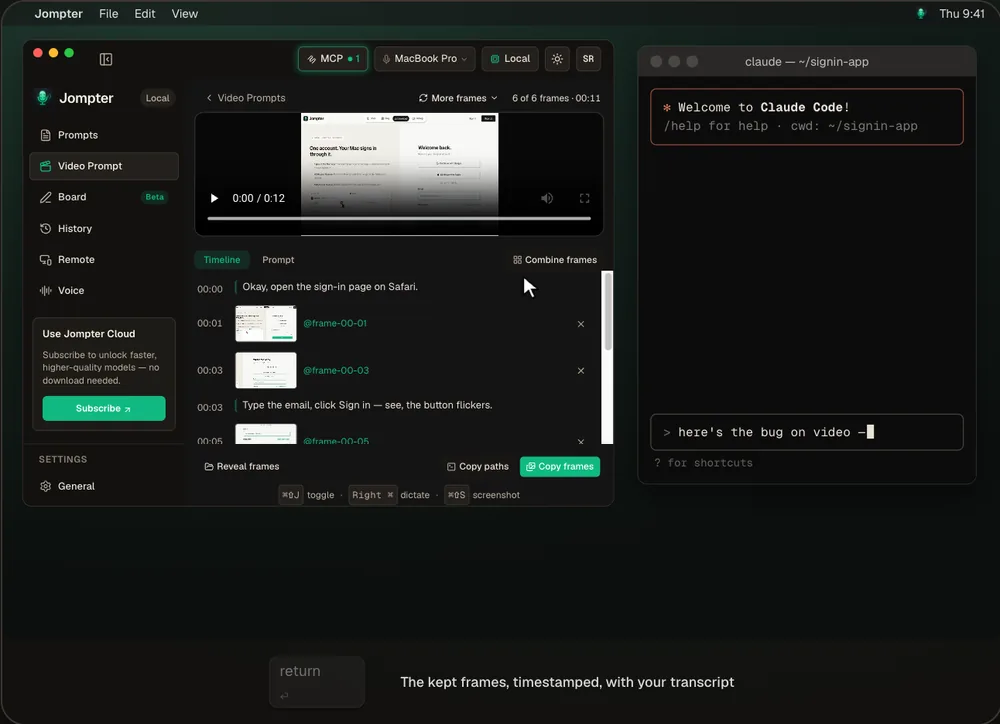
MCP prompts & to-dos Your agent reads it.
You don't paste it.
A local MCP server hands the whole prompt — words, screenshots, frames — to Claude Code, Cursor, Codex or OpenCode, and your agent keeps its to-do list in Jompter for you to approve.
How the Jompter MCP works →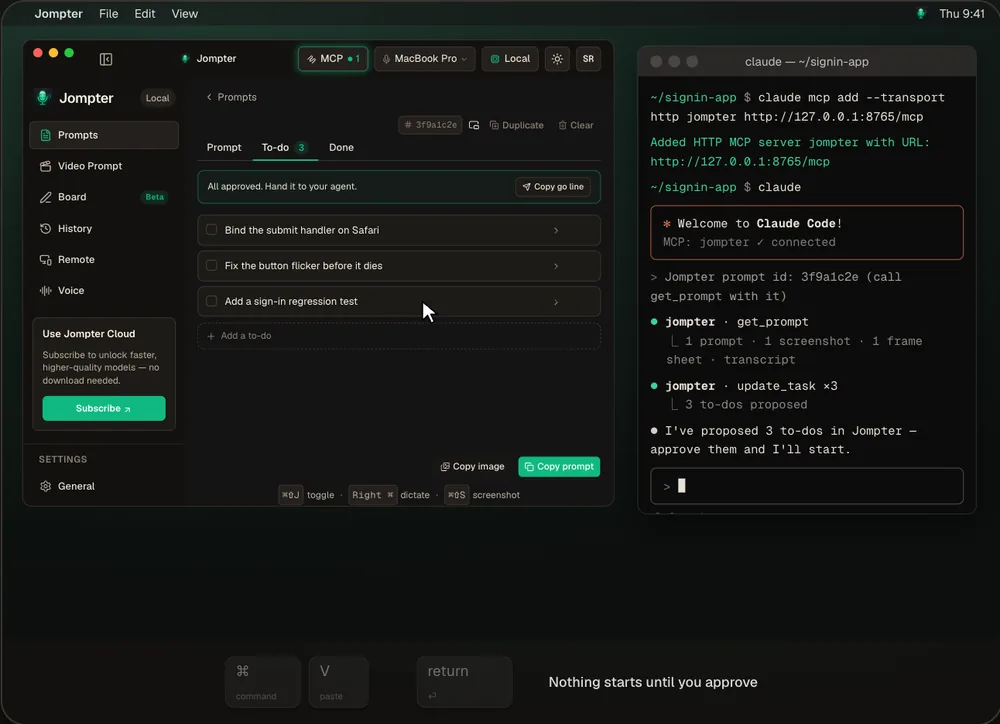
AI whiteboard Lost in code
an AI wrote?
An AI whiteboard for coding agents. Ask Claude Code to draw the architecture — through the Board MCP it lays the diagram out on a Jompter board while you watch.
How the AI whiteboard works →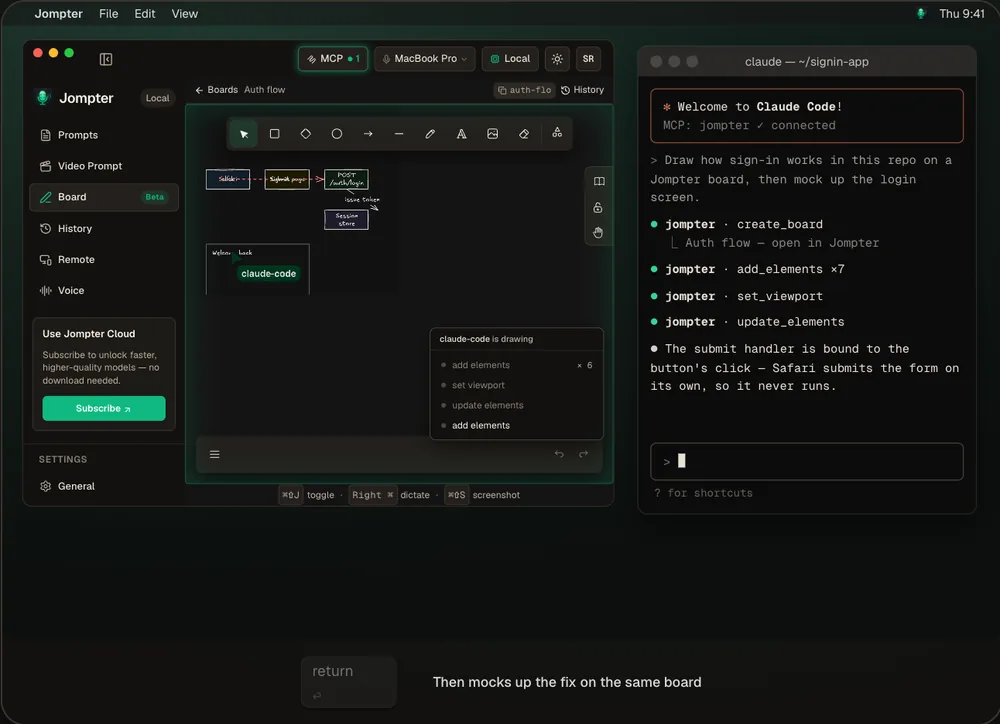
Read AI responses aloud Too long to read?
Hear it explained.
Your agent just wrote a wall of text about its plan. Read the AI response aloud instead — explained in plain words, in your own language, with text to speech that runs on your Mac.
How read aloud works →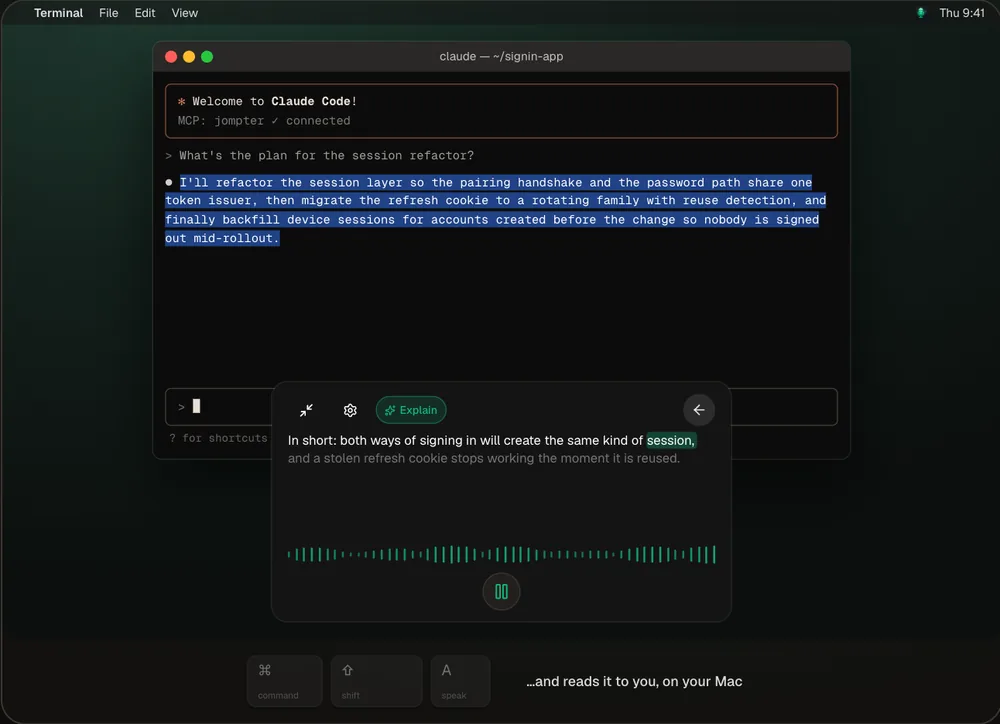
Offline speech to text Open models.
On your Mac.
Offline speech to text on your Mac with open models — Whisper, Parakeet and Nemotron. Download them once: your audio stays on your Mac, and there is no per-token bill.
How offline speech to text works →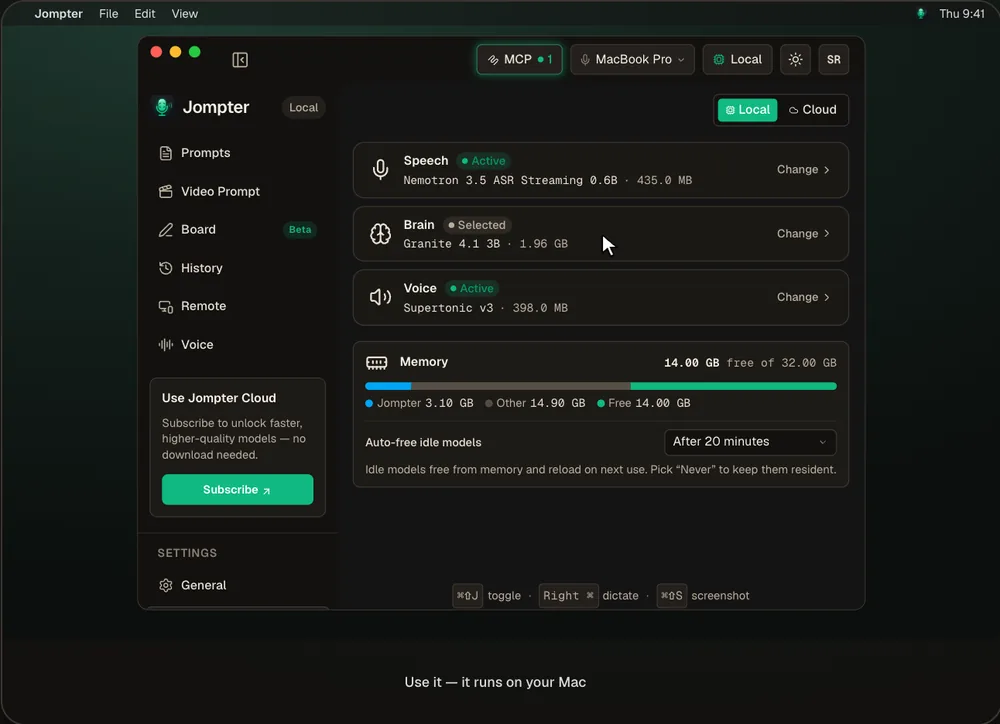
Control your Mac from iPhone Keep driving the agent
away from your desk.
Control your Mac from your iPhone with Jompter Remote — check a long agent run, answer its question and dictate the next prompt, away from your desk.
How Jompter Remote works →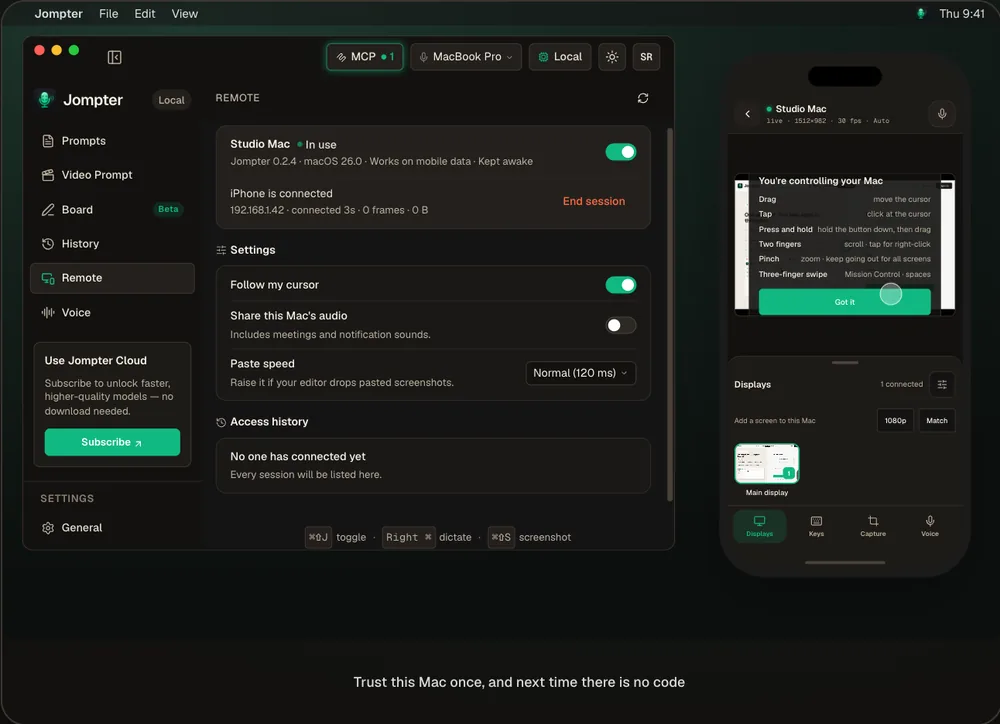
The small things that add up: history, shortcuts, encrypted keys.
History keeps every take
Every dictation is kept with its audio. Replay it, Re-transcribe audio with a better model, translate it, star it — all on your Mac.
Prompts & to-dos
Draft, Prompt, To-do, Done.
Every shortcut rebindable
Make the keys yours.
Keys encrypted on your Mac
Never in plaintext.
No notifications
Jompter never pings you.
Jompter pricing: free on your Mac, pay once to lift the limits.
Jompter FAQ: answers before you download.
Short version: open models on your Mac, the meter never starts, nothing leaves your machine unless you say so.
Is Jompter free?
Yes, on your Mac. Dictation, prompts, the MCP hand-off, transforms, translation and Speak are free and unlimited. The heavier features are free within limits — 20 screenshots a day, 5 screen recordings, 3 boards and one 10-minute Remote session a day — and a $99 one-time license removes every limit. See what's free.
How does my agent get the prompt?
Turn on the Jompter MCP and add it to Claude Code, Cursor or Codex (or install the Agent skills). Paste one "Jompter prompt id" line and the agent calls get_prompt to read the text, screenshots and frames itself.
Do I pay per token?
No. Dictation, transforms and translation all run on open models on your Mac — no API key, no meter, no bill. A cloud subscription stays optional.
Does my code or data leave my Mac?
Not by default. The MCP server is local and off until you switch it on; anything cloud is opt-in.
Can I use voice dictation with Claude Code?
Yes. Hold Right ⌘ in the Claude Code terminal and talk — the words are typed into its prompt when you let go. It works the same in Cursor, Codex or any app. How voice to prompt works.
How do I send a screenshot to Claude Code?
Press ⌘⇧S, drag over the part you mean, then drag the shot from the Screenshots panel into Claude Code — or copy its file path for the terminal. Screenshot to prompt.
Does Jompter work offline?
Yes. In Local mode, with Remote and board sync off, Jompter works with the network cable out — speech, transforms and prompts are all built on your Mac. Offline speech to text.
Is Jompter a Wispr Flow alternative?
For coding, yes: it dictates into any app like Wispr Flow, and also folds screenshots and screen recordings into one prompt your agent reads through MCP. Jompter vs Wispr Flow.
Which models can I run?
Whisper, Parakeet and Nemotron for speech, Granite, Qwen 3.5 and Gemma 4 for the language model, Supertonic for the voice — or your own through Ollama or LM Studio.
Stop typing prompts.
Start saying them.
Download Jompter, hold a key, and give your agent the whole picture.
Apple Silicon · macOS Ventura+