 Jompter Docs
Dictation history
Every recording, kept, replayable, and re-transcribable with a better model.
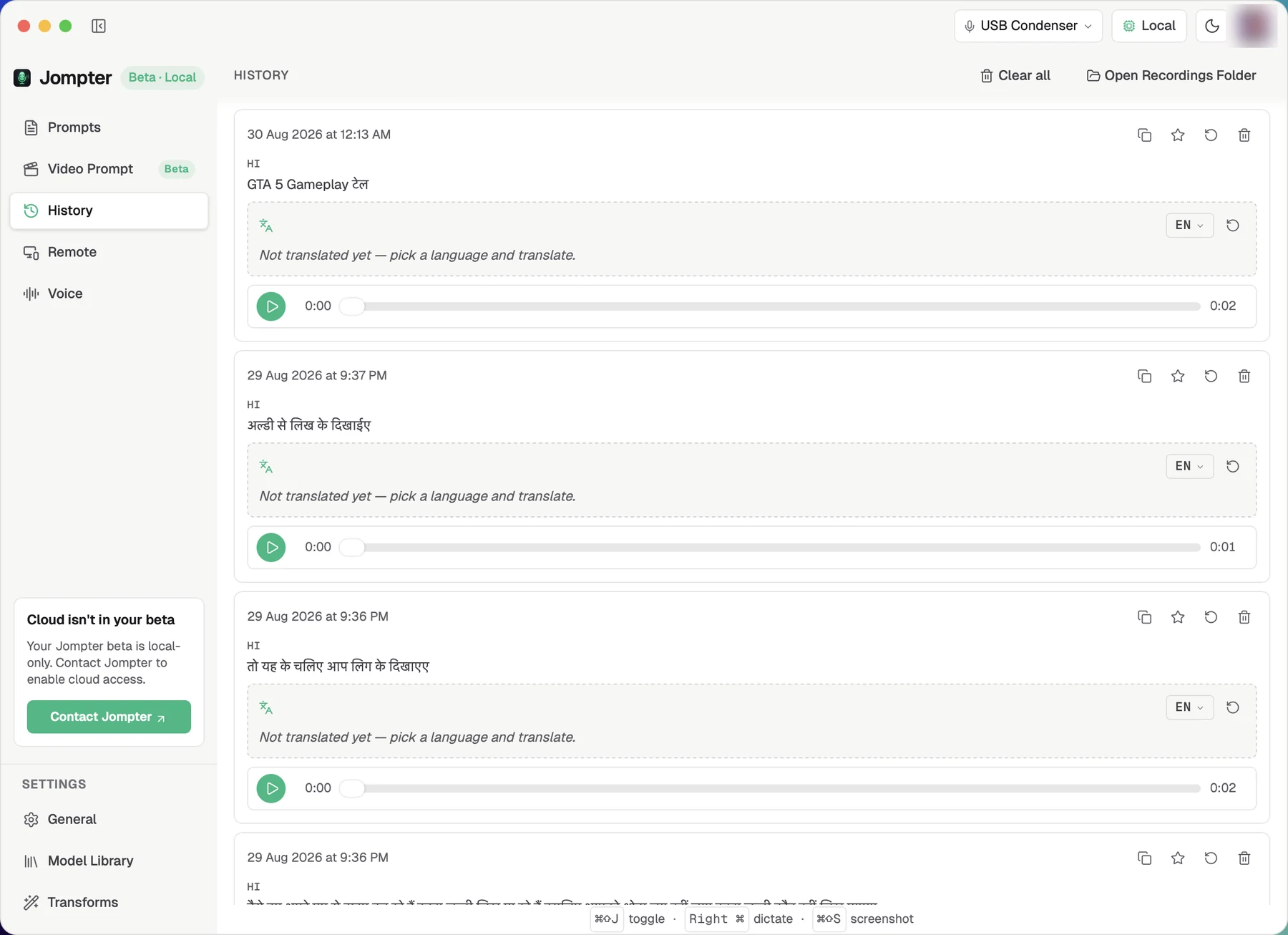
Jompter's dictation History keeps every dictation you make on this Mac, with its audio, so you can copy, re-transcribe or translate it later.
Sidebar → History lists everything you have dictated.
What can I do with a past dictation?
Each entry gives you an audio player and the transcript, plus:
| Action | Why you would |
|---|---|
| Copy transcript | Reuse text you dictated earlier |
| Re-transcribe audio | You have since downloaded a better model — run the original audio through it |
| Target language → translate → Copy translation | Get the same dictation in another language |
| Favourite | Star the ones worth finding again |
| Delete | Remove one |
Where is the audio, and how do I clear it?
Recordings are listed newest first. Each one is saved as a .wav file with its transcript
beside it, in ~/Documents/jompter/recordings. Open Recordings Folder reveals them in
Finder. Clear all wipes the lot, but only on a second click: the button turns into
Clear all? first. Deleting a single recording works the same way. An entry that failed to transcribe shows "No transcript" and can still
be re-transcribed.
History is local and unbounded. Nothing syncs, nothing expires, and there is no disk-usage display. Audio adds up over months — Clear all is the only broom.
Your phone can also browse and delete these over Remote.