 Jompter Docs
AI models
Download, switch and manage the speech, language and voice models Jompter runs on your Mac.
In Local mode Jompter runs three kinds of model on your machine. Settings → Model Library is where you get them and choose between them.
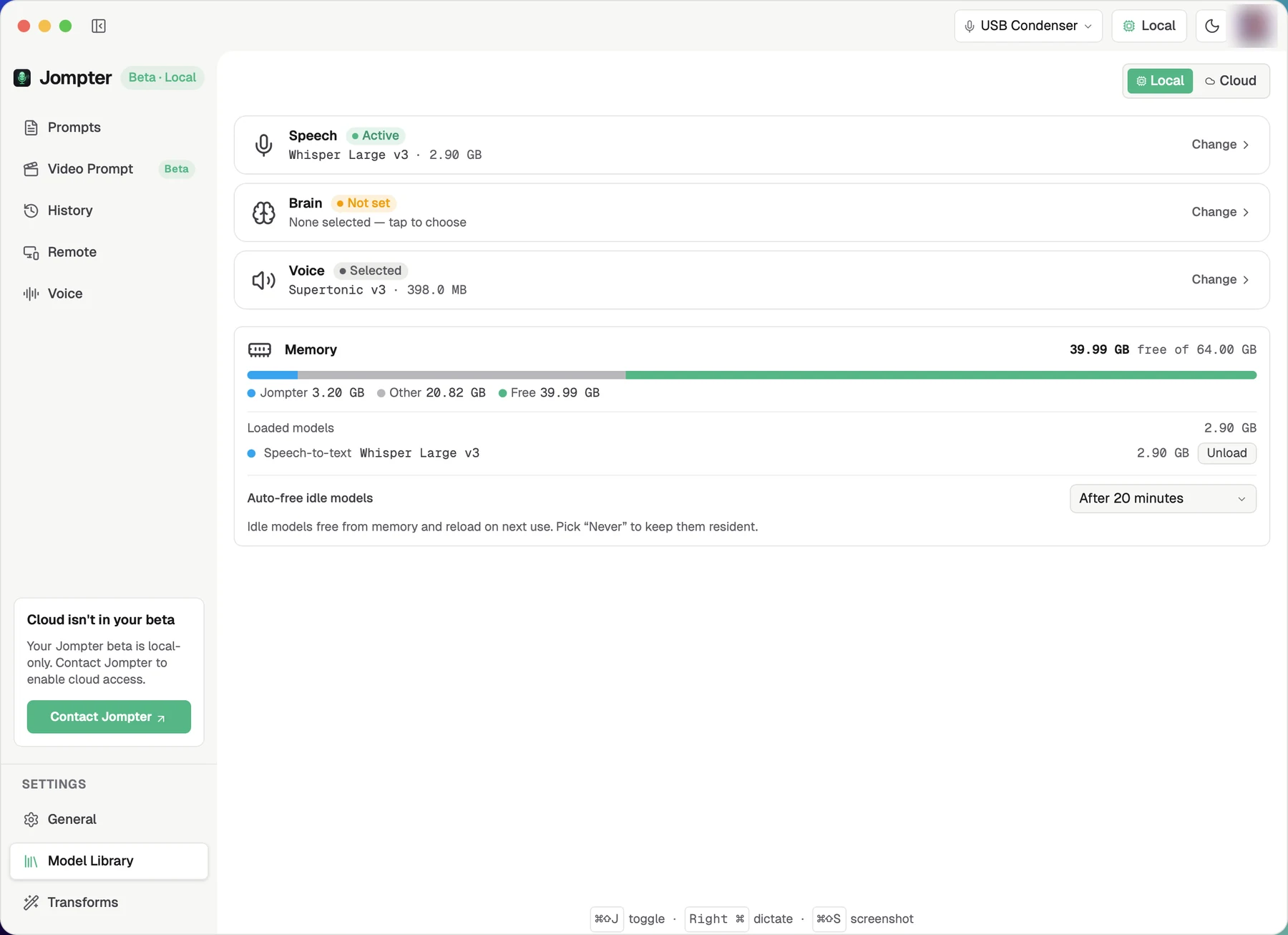
The three slots
Speech (STT)
Turns your voice into text. Whisper, Parakeet and Nemotron families, filterable by language. Nemotron streams, so you see words appear while you talk; Parakeet and Whisper transcribes when you stop.
Whisper models ending in .en are English only. Selecting one and then choosing another
language produces a warning banner, not a translation.
Brain (LLM)
Powers transforms, translation and Speak's Explain mode. Either:
- A bundled on-device model — downloaded here, runs locally.
- An external server you already run — LM Studio (
:1234/v1), Ollama (:11434/v1) or Custom. Give it a base URL, a model name and an optional API key, then use Test connection before relying on it.
Voice (TTS)
The voices Speak uses.
Downloading
Downloads resume if interrupted, check you have the disk space first, and show progress. You can pause a download ("keeps progress so you can resume"), resume it, drop it from the queue, or delete a model you no longer want.
Recommendations are tailored to your Mac's hardware, though the app does not spell out its reasoning.
Memory
The Memory panel shows a bar of what is used — Jompter, other apps, free — and lists every model currently resident, each with an Unload button.
Auto-free idle models decides when a model is released on its own: Never, or after 5, 10, 20, 30 minutes or 1 hour. The default is After 20 minutes. "Idle models free from memory and reload on next use."
Two rules worth knowing:
- One model per category stays resident. Loading a second speech model unloads the first. Categories never evict each other, so a speech model and a voice model can be loaded at once.
- Switching a model in Settings unloads the old one immediately.
The first use after an unload pays the load cost again — a few seconds of "Generating speech…" or a pause before the first transcription.
Cloud mode
Switch the header pill to Cloud and the three cards are replaced by a single Jompter Cloud card: sign in, start a trial or subscribe, and see your trial words and days plus your usage for the current 5-hour session and the rolling week. Nothing to download.
Where the catalogue comes from
The list of available models is fetched from Jompter's servers and cached on disk, with a built-in fallback if you are offline. New models can appear without an app update.