 Jompter Docs
Speak — text read aloud
Select any text anywhere, press a key, and hear it — optionally explained, optionally in another language.
Select text in any app and press ⌘⇧A. Jompter reads it aloud.
It pulls the selection out of the frontmost app through macOS's accessibility layer, so it works in your terminal, your editor, a PDF, a web page — anywhere text can be selected. The speech itself is generated entirely on your Mac.
Options
Sidebar → Voice (which opens Settings → Voice):
| Setting | Options | Default |
|---|---|---|
| Model | Read-only — download voices in Model Library | — |
| Voice | Male 1–5 and Female 1–5, with a Preview button | Male 1 |
| Speed | 0.75× to 1.50× | 1.05× |
| Explain mode | On / off | Off |
| Translate + Translate to | On / off, and a target language | Off |
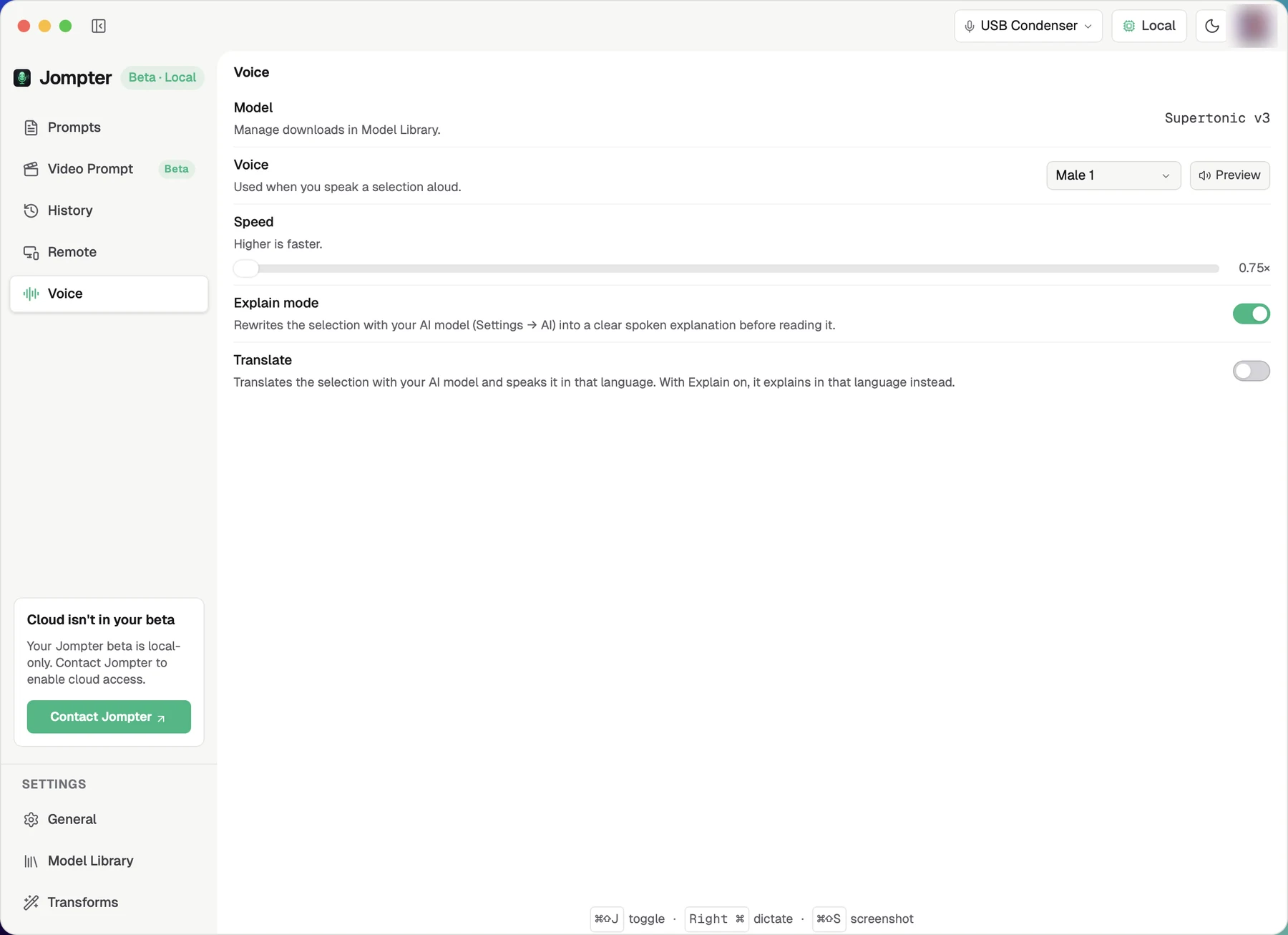
Explain mode
Rather than reading the text verbatim, Jompter first rewrites it with your language model into a clear spoken explanation, then reads that. Useful for the wall of text an assistant just produced.
Translate
Speaks the selection in another language. Combine it with Explain and you get an explanation in that language.
Playback
Controls appear in the dictation bar, which switches to card layout for the duration: pause, resume, replay, stop, dismiss.
It takes a few seconds the first time
Explain mode needs the Brain model loaded, and a cold load can take several seconds behind a plain "Generating speech…". Subsequent runs are quick until the model is unloaded for being idle — see auto-free.